Marketplace
Browse skills and memory listings, manage purchases and subscriptions, and publish a memory listing.
Browse published skills and memories. Check the listing type, included access, price and usage allowance before purchasing.
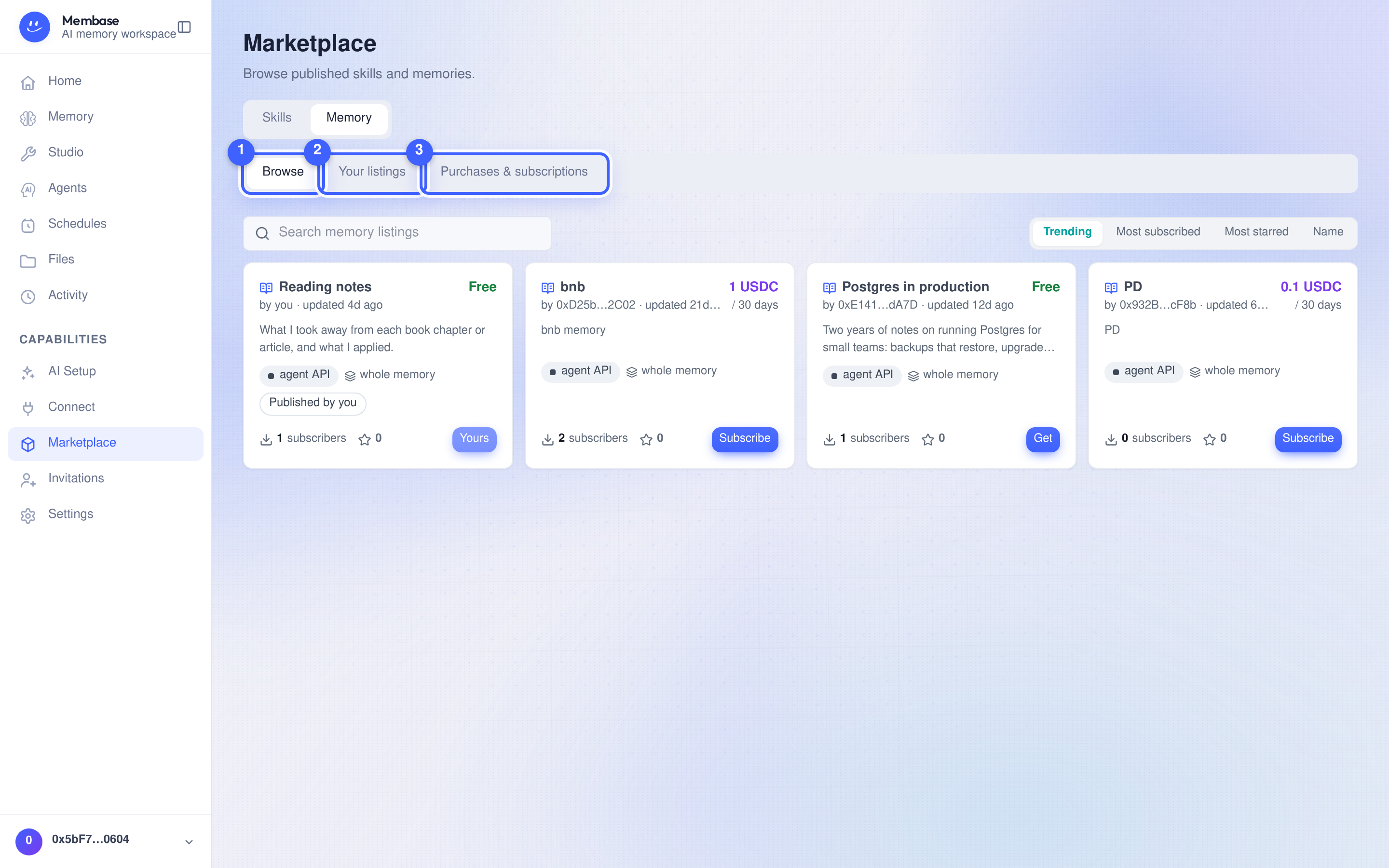
- Browse. Search the catalog and open a listing to review its details.
- Your listings. Manage the memories you offer. List a memory creates a listing.
- Purchases & subscriptions. View what you have bought or subscribed to.
The Skills | Memory switch selects the catalog.
Memory listings
Section titled “Memory listings”A listing sells a Memory, as answers. The buyer’s AI asks it questions and gets answers written from what the Memory knows. It never sees the Memory’s files, documents or facts, never writes to it, and reaches no other Memory of the seller’s. Two earlier kinds are no longer offered but still show for the people who bought them:
| Type | What you receive |
|---|---|
| Memory (answers) | A credential that may only ask that one Memory: ask_memory over MCP, POST /v1/ask over REST. Answers, never files. Valid 30 days per payment, with the number of questions per period shown on the listing; renew to continue |
| Snapshot (no longer offered) | A copy of the listed items at purchase time; later seller edits do not update it |
| Live memory (no longer offered) | Read access to the seller’s memory for the subscription period |
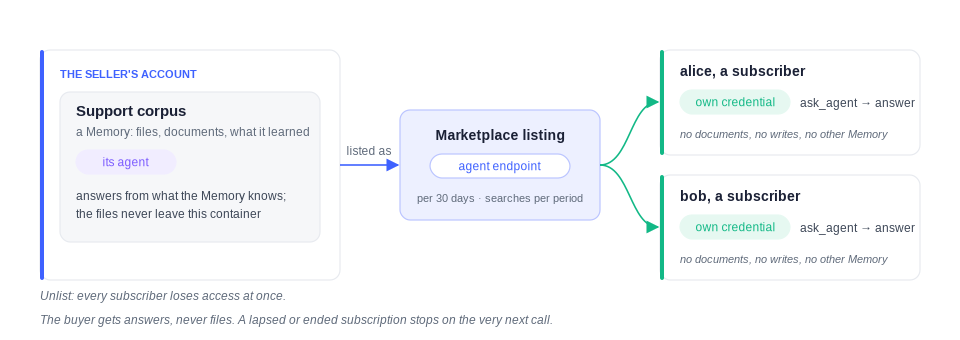
Every question checks the purchase: it must be active and unexpired, the listing not suspended, and the period’s questions not used up. If any of these fails, the question is refused. A listing bought earlier as an agent endpoint is now answered by its Memory the same way.
Open a listing and read Included access for its specific terms. Live access can be revoked by the seller; a paid period does not guarantee access after the seller revokes it.
Buying
Section titled “Buying”Choose the purchase or subscription action shown on the listing. Review the confirmation, including any usage limit. Paid listings open your wallet for payment; the purchase is complete only after payment succeeds. Live paid access is valid for the period shown, and renewal requires another payment.
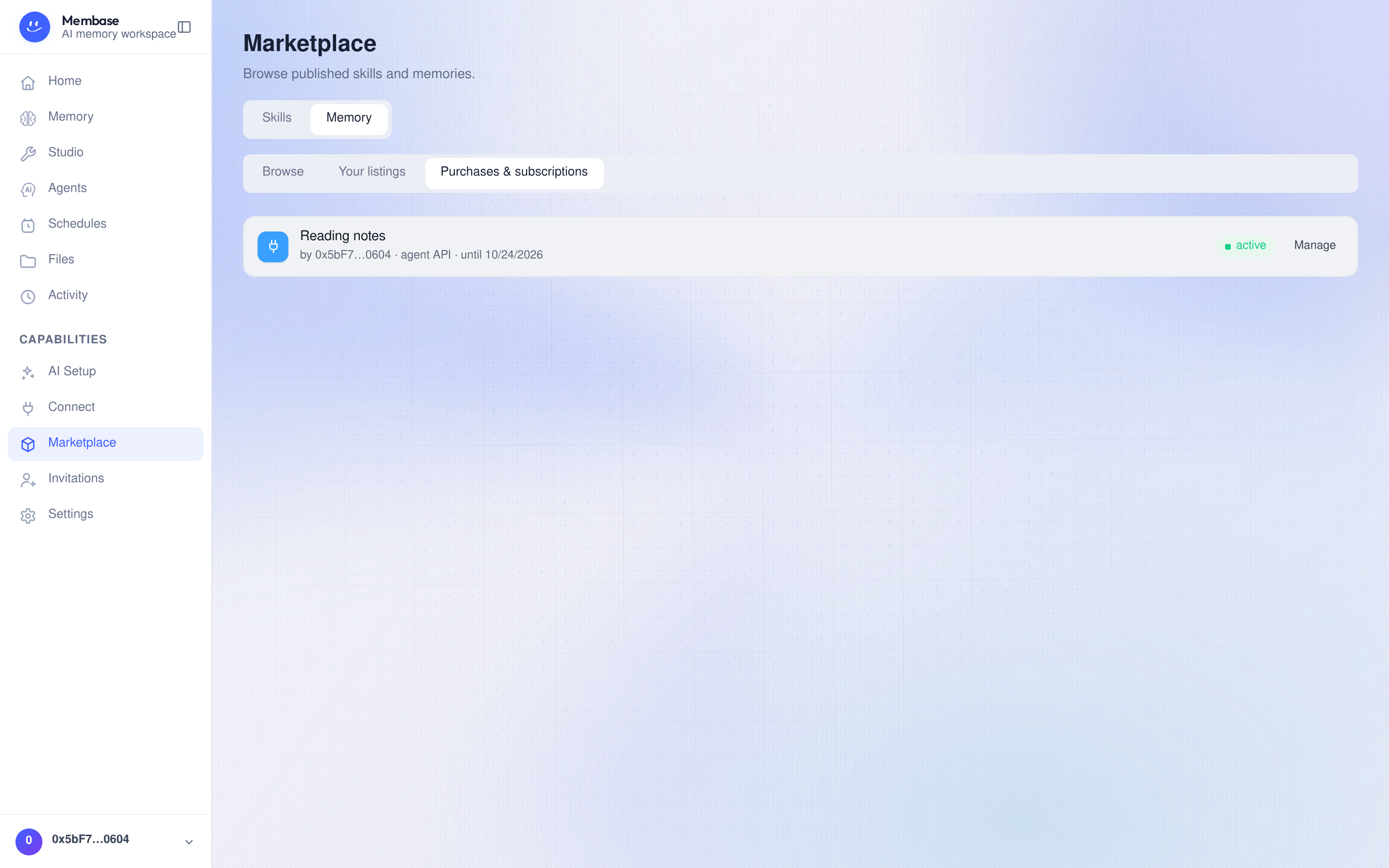
Use Purchases & subscriptions to review status and access dates, open snapshot items, or manage an available credential. Use the actions offered for that listing type.
A subscription also appears as a Subscribed tile on your Memory page:
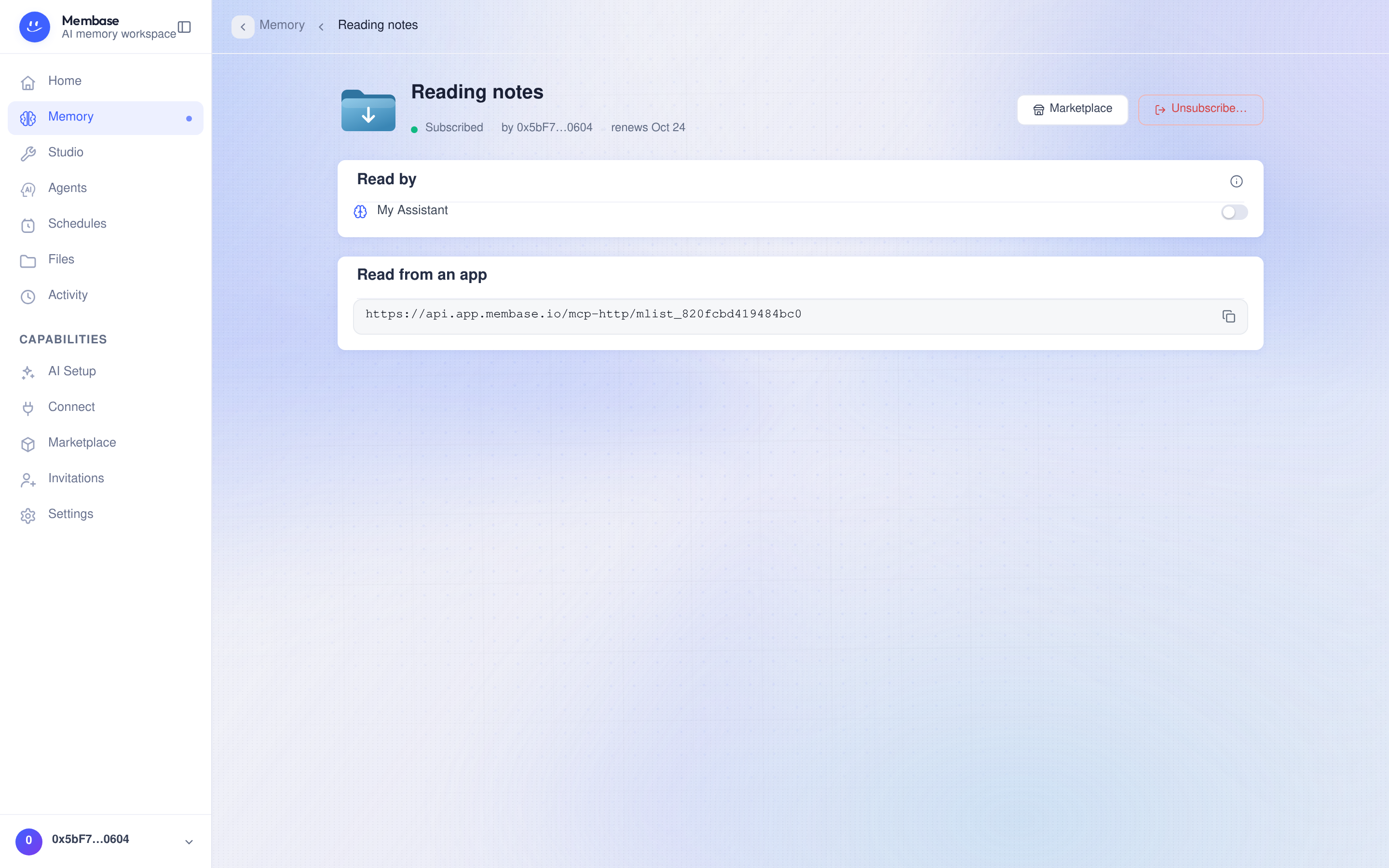
Its page shows the seller and access period. Read by selects which one of your agents may consult it; switching on another agent moves the subscription to that agent. Read from an app provides connection details when available. You cannot edit the seller’s memory. Review the confirmation before unsubscribing.
Selling
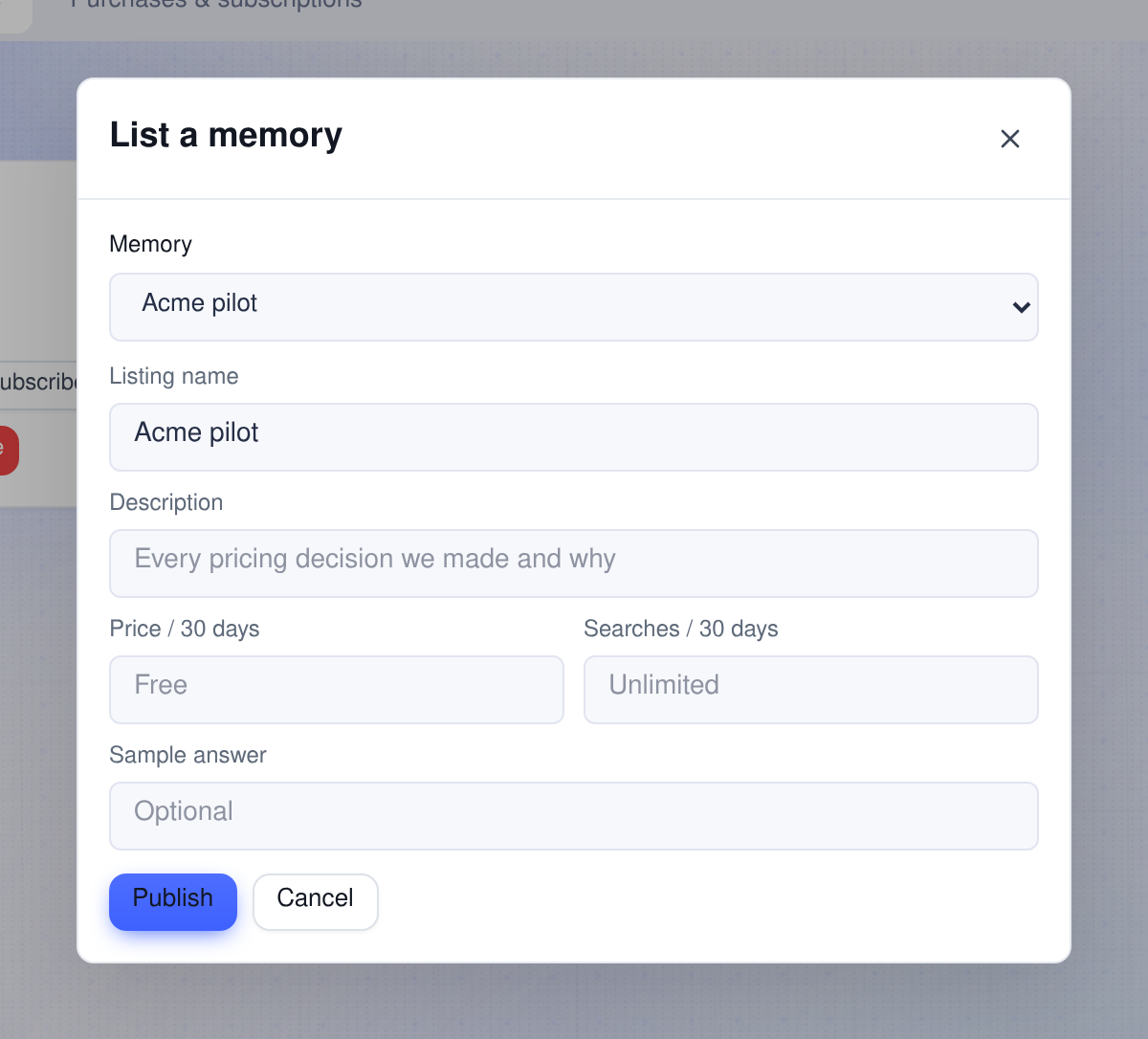
Section titled “Selling”- Select List a memory, or Sell under Settings › Sharing › Marketplace on a Memory.
- Select the Memory and fill in the Listing name, Description and sample content.
- Set the price and usage allowance. A paid listing requires a receiving wallet.
- Review the details, then select Publish to make the listing discoverable.
Manage listings under Your listings. Each row offers Edit, Subscribers, View as a buyer and Delete, plus Publish on a draft or Make private on a live listing; on the Memory’s side, Settings › Sharing › Marketplace offers Unlist…. Deleting or unlisting a listing cuts its subscribers off at once, so review who it affects first. Deleting the Memory itself also takes it off the market: every listing selling it goes, and every subscriber loses access at once.
Skills
Section titled “Skills”Browse lists published skills. Your skills lists installed or published skills. Review a skill before installing it for use by an agent.